> ## Documentation Index
> Fetch the complete documentation index at: https://mintlify.manicule.dev/zh/llms.txt
> Use this file to discover all available pages before exploring further.
> For every page in one file, fetch https://mintlify.manicule.dev/zh/llms-full.txt (large).
> To search and read these docs as tools, connect the MCP server at https://mintlify.manicule.dev/api/mcp.
> Every agent surface: https://mintlify.manicule.dev/.well-known/llms-manifest.json
# Stainless (/zh/integrations/sdks/stainless)
Related: [Speakeasy](/zh/integrations/sdks/speakeasy.md), [支持平台集成](/zh/integrations/support/overview.md)
> 在你的 API 操作台中展示由 Stainless 自动生成的类型安全 SDK 代码示例,支持 Python、TypeScript 等多种语言。
## 先决条件
* 拥有一个 [Stainless](https://app.stainless.com) 账号。
## 设置集成
在你的 `stainless.yml` 配置文件中,添加 `openapi.code_samples: 'mintlify'`。更多信息请参阅 [Stainless 文档](https://app.stainless.com/docs/guides/integrate-docs)。
在你的 Stainless 项目中:
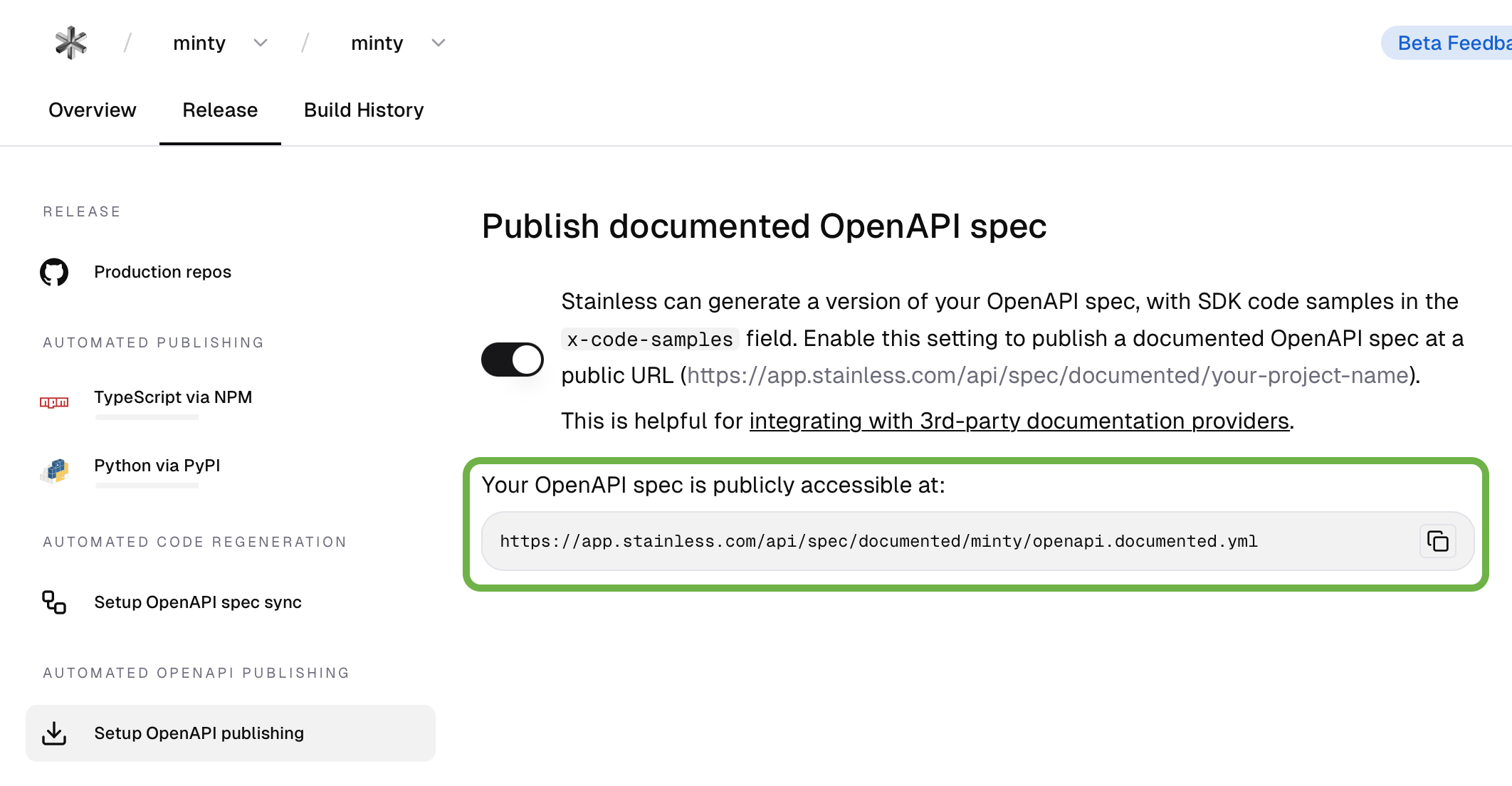
1. 选择 **Release** 标签页。
2. 选择 **Setup OpenAPI publishing**。
3. 复制指向你公开可访问的 OpenAPI 规范的 URL。
 在你的 `docs.json` 文件中,将来自 Stainless 的 URL 添加到 `openapi` 字段。更多信息请参阅 [OpenAPI 设置](/zh/api-playground/openapi-setup)。